
Last updated: October 18, 2026 | Written by: Mukhlis Saputro, Sim Card Airport Bali
Australians have several workable ways to get mobile service in Bali. You can keep roaming with Telstra, Optus, or Vodafone, use a global travel eSIM, or collect a local Indonesian SIM card or eSIM after landing. The best option depends on your Australian plan, phone, trip length, and how much data you expect to use.
This Bali eSIM guide for travellers from Australia compares those choices and explains how airport pickup works. It also covers a common source of surprise: an Australian roaming pass can start when the phone uses data in the background, even if you did not open an app.
Quick answer for Australian travellers
- A short trip with roaming already included: Keeping your Australian service may be enough. Check the allowance and activation trigger before departure.
- An unlocked eSIM-compatible phone: A local Bali eSIM gives you Indonesian data, calls, SMS, and a +62 number while your Australian line can remain available for bank texts.
- An unlocked phone with a SIM tray: Choose either eSIM or a physical SIM. Australian iPhones commonly support both.
- A family or group using hotspot and video: Compare larger local packages instead of relying on a small daily roaming allowance.
- Unsure how much data you need: Use our Bali data usage calculator before ordering.
Our local plans range from 3 GB to 68 GB through XL, Tri, and IM3. Every package starts with 28 days of validity. You can top up later, subject to the operator’s current package and validity rules. eSIM and physical SIM prices may differ by up to Rp50,000.
Australian roaming or a local Bali SIM?
Roaming has one clear advantage: your Australian number works without changing SIM settings. That can suit a weekend trip or a plan with an allowance you already pay for. It can become expensive or restrictive when several daily sessions are triggered, the data allowance is small, or the whole family shares a hotspot.
Telstra offers an International Roaming Day Pass for eligible destinations and plans. Optus offers Daily Roaming on eligible consumer and small-business plans. Vodafone promotes $5 Roaming on eligible plans. Indonesia is listed among supported destinations, but inclusions, data allowances, speed conditions, and activation rules can change. Check your carrier account before you fly.
| Option | Useful when | Check before choosing |
|---|---|---|
| Australian roaming | Your trip is short and your plan has a suitable roaming option | Daily trigger, data allowance, speed, calls, SMS, and background data |
| Global travel eSIM | You only need mobile data across several countries | It may be data-only and may not include an Indonesian +62 number |
| Local Bali eSIM | Your unlocked phone supports eSIM and you want local service | Registration and activation take place at our airport counter |
| Local physical SIM | Your unlocked phone has a nano-SIM tray | Keep your Australian SIM safe if you remove it |
Do not compare the daily price alone. Compare the data you receive, the number of chargeable days, whether calls and SMS are included, and whether you need a local number for drivers, hotels, restaurants, or Indonesian services.
Avoid an unexpected roaming session
A phone can use mobile data before you open Instagram or Google Maps. Email sync, cloud photo backups, app updates, weather widgets, and messaging notifications can create a roaming session.
Before departure, decide which line will provide mobile data. If you plan to use an Indonesian SIM:
- Keep data roaming off on the Australian line.
- Select the Indonesian line for mobile data after activation.
- Review automatic data switching on a dual-SIM phone.
- Pause cloud backups and large app updates unless you are on Wi-Fi.
- Check how your Australian carrier handles incoming calls, voicemail, SMS, and Wi-Fi Calling overseas.
Receiving an SMS may be free under some plans, but calls, voicemail, outgoing messages, and Wi-Fi Calling can follow different rules. Confirm them with Telstra, Optus, Vodafone, or your current provider.
Will an Australian iPhone work with a Bali eSIM?
Recent Australian iPhones support eSIM. Australian iPhone 16 and iPhone 17 specifications also list a nano-SIM tray, so these devices can usually use either format when unlocked. This differs from several US-market iPhones that are eSIM-only.
On an iPhone, open Settings > General > About and check Carrier Lock. “No SIM restrictions” indicates that the phone is unlocked. For Samsung and Google Pixel, compatibility depends on the exact model, purchase region, software, and carrier status. Send us the full model number if you are uncertain.
An eSIM-compatible phone can still be carrier-locked. Confirm the lock status before ordering rather than relying only on the model name.
Can you install the Bali eSIM in Australia?
You can order the Bali eSIM online before your flight, but this local product is not installed remotely in Australia. The QR code is issued and activated at the airport counter during the Indonesian operator’s registration process.
Bring your passport, a screenshot of the phone’s IMEI, and the required registration photo. The eSIM QR code can be scanned once, so confirm which device will hold the eSIM before installation. The 28-day validity starts when the SIM and data package are activated.
A global travel eSIM may allow installation at home, but many are data-only. Our local eSIM includes an Indonesian +62 number and supports calls and SMS. Staff also check the connection before you leave the counter.
Airport pickup after your flight from Australia
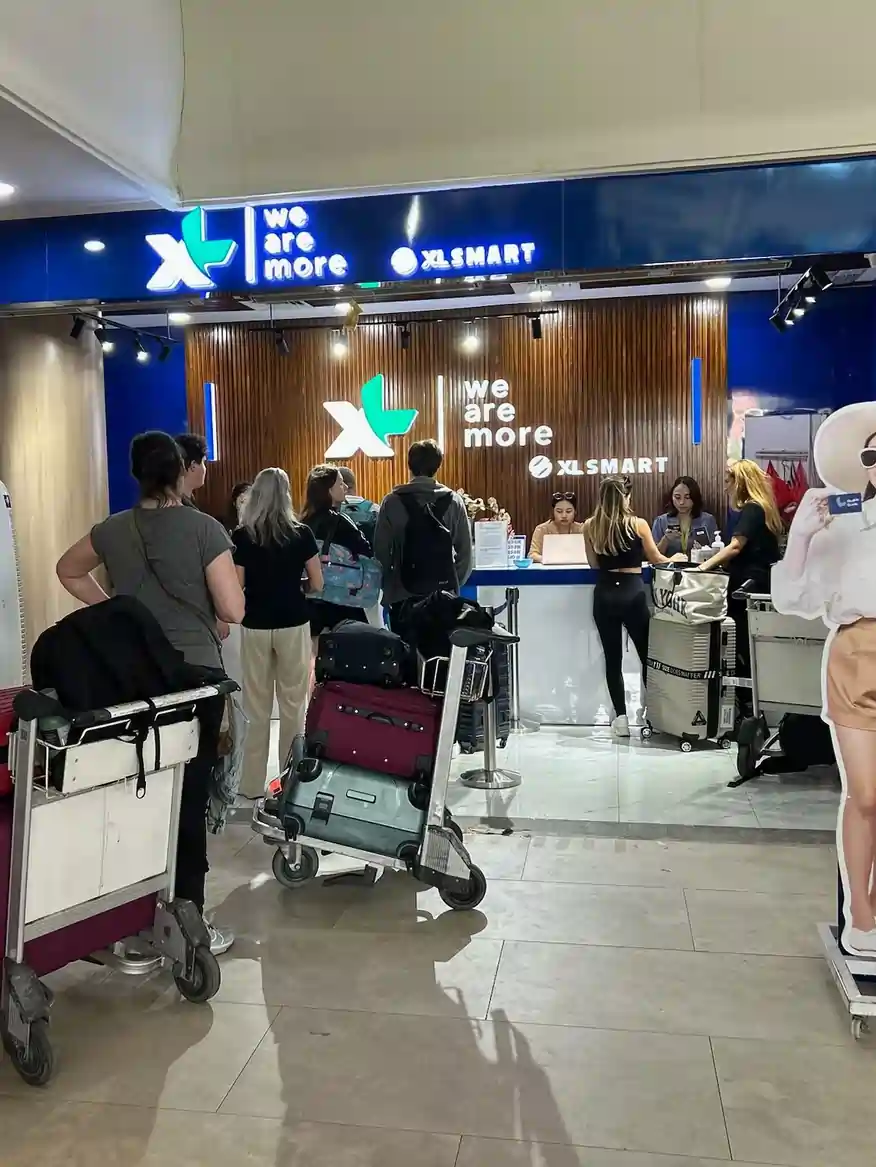
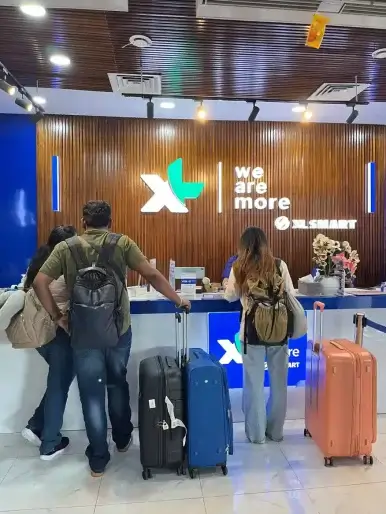
After Immigration, baggage collection, and Customs, continue through the international arrival exit. The XLSMART counter is immediately to the left. The Google Maps listing may still appear as XL Axiata Official Partner – Bali SIM Card & eSIM Airport Pickup.
- Opening hours: Daily, 4:00 AM–2:00 AM
- Typical activation time: About five minutes when the documents and compatible unlocked phone are ready
- Staff assistance: Registration, installation, mobile-data settings, and connection testing
- Delayed flight: Collect the order at any time during opening hours
Flights from Perth, Darwin, Adelaide, Melbourne, Sydney, Brisbane, and other Australian cities can arrive at different times. Check the scheduled arrival in Bali local time. If you land between 2:00 AM and 4:00 AM, the counter will be closed until 4:00 AM.

Open the counter location in Google Maps
What happens at the counter?
- Show your order confirmation and passport.
- Confirm the phone model, IMEI, lock status, and preferred operator.
- Choose XL, Tri, or IM3 and confirm eSIM or physical SIM.
- Complete the operator’s tourist-SIM registration requirements.
- Let the staff install the SIM or scan the eSIM QR code.
- Wait while the staff tests mobile data and confirms the connection.

Choose a package by activity, not flight length
Australians often use mobile data in Bali for WhatsApp, Grab, Gojek, maps, restaurant bookings, and communication with hotels or drivers. Video, hotspot use, cloud backups, and social uploads consume far more data than messaging.
| Usage | Typical activities | Starting point |
|---|---|---|
| Light | WhatsApp, email, ride-hailing, and occasional maps | 3–10 GB |
| Moderate | Daily navigation, browsing, social media, and some video | 13–26 GB |
| Heavy | Streaming, uploads, hotspot, or remote work | 34–68 GB |
These ranges are starting points. Use the calculator, then compare the current Bali SIM and eSIM plans. Network performance varies by operator, location, congestion, device, and local conditions.
Keep your Australian number for bank texts
A dual-SIM phone can keep the Australian line available for calls and texts while the Indonesian line handles mobile data. On iPhone, choose the Indonesian line under Settings > Cellular > Cellular Data. Review Allow Cellular Data Switching before enabling both lines.
Your local eSIM or physical SIM includes an Indonesian +62 number and supports calls and SMS. Additional credit or the correct package benefit may be needed. A local number can help with drivers, accommodation, restaurants, and Indonesian services, but third-party apps control their own OTP and account rules.
SIM registration and Customs IMEI registration are different
The airport counter registers the tourist SIM using the required customer and device information. This process is not permanent Customs registration for an imported phone.
Travellers permanently importing or using a phone in Indonesia may face different Customs and IMEI rules. For a tourist SIM, bring the requested documents and let the counter staff complete the operator process.
Before leaving Australia
Internet access will help with airport transport, hotel messages, maps, and digital documents, but it does not replace entry preparation. The Australian Government’s Smartraveller advice says entry rules can change and directs travellers to official Indonesian sources.
- Check that the passport meets Indonesia’s current validity and condition requirements.
- Review the current visa or e-VOA process through official Indonesian government websites.
- Complete the required arrival declaration through the official system.
- Check whether the Bali tourist levy applies to your trip.
- Buy travel insurance and read the conditions for scooter or motorbike use.
- Carry a payment card and some Indonesian rupiah for smaller businesses.
Do not rely on screenshots of an old checklist. Check Smartraveller and Indonesian government websites again shortly before departure.
Activation problems, replacement and refund
The staff tests the connection before you leave. If a problem appears afterward, contact us within 24 hours and send a screenshot showing the issue. The team verifies the device, registration, and connection and may try a replacement first.
If activation still fails, an eligible order can be refunded. Carrier-locked or incompatible devices are handled under the current refund policy. Switching from eSIM to physical SIM is possible when the phone has a SIM tray, with any listed price difference payable.
Orders left uncollected for 30 days are not refundable. Read the current Refund Policy before ordering.
Frequently asked questions
What is the best eSIM for Bali for an Australian traveller?
The best option depends on the phone, destinations in Bali, expected data use, and whether you need a +62 number. Compare XL, Tri, and IM3 for your trip instead of treating one operator as best everywhere.
Can I buy a Bali eSIM online from Australia?
Yes. You can order online before flying. This local eSIM is issued and activated at the Bali Airport counter, not installed remotely in Australia.
Can I keep Telstra, Optus, or Vodafone active for OTP messages?
A compatible dual-SIM phone can keep the Australian line active while the Indonesian line provides mobile data. Check roaming, calls, voicemail, SMS, and Wi-Fi Calling charges with your carrier.
Does an Australian iPhone need eSIM?
Recent Australian iPhones generally support eSIM and a physical nano-SIM. Choose either format when the phone is unlocked, then confirm the exact model before ordering.
Does the Bali SIM include calls and SMS?
Yes. Both eSIM and physical SIM options include a +62 number and support calls and SMS. Credit or a suitable package benefit may be required.
Can I top up after 28 days?
Yes. You can add credit or purchase another data package. The extension and validity depend on the operator’s current terms, with eligible service extendable for up to 90 days.
What if my phone is locked or incompatible?
Contact us within 24 hours and provide the requested screenshot. We will verify the issue and apply the current replacement or refund policy.

Order online and connect before leaving the airport
Check that the phone is unlocked, estimate your data use, and order the appropriate plan. After Customs at Bali International Airport, turn left at the international exit and visit the XLSMART counter. Staff will complete registration, install the SIM or eSIM, and test the connection.
Choose your Bali SIM or eSIM plan
Sources and review notes
- Australian Government Smartraveller: Indonesia travel advice
- Telstra international roaming
- Optus Daily Roaming
- Vodafone Australia international roaming
- Apple Australia: iPhone 17 specifications
- Apple Australia: iPhone 16 specifications
- Hotel Nikko Bali Benoa Beach: Australia to Bali preparation guide
Roaming inclusions, entry rules, device compatibility, operator packages, and network performance can change. Product and airport-counter details were reviewed by the Sim Card Airport Bali team on October 18, 2026.


