
Last updated: October 20, 2026
A short trip to Bali does not always require a new SIM. If your Maxis, CelcomDigi, U Mobile, Singtel, StarHub, M1, DST, or Progresif plan already includes enough roaming data in Indonesia, keeping your home line may be the simplest choice. A local Bali SIM or eSIM becomes more useful when you want a +62 number for local calls, a separate data allowance, or help getting connected as soon as you leave the international terminal.
This guide is written for travellers from Malaysia, Singapore, and Brunei, especially those visiting Bali for four to ten days. It explains when roaming is enough, when a local number helps, and which data package is likely to fit your trip.
Quick recommendation for a 4- or 10-day Bali trip
| Your trip | Suggested starting point | Who it suits |
|---|---|---|
| 4 days, light use | 3 GB or existing roaming | Maps, messaging, occasional ride-hailing, hotel Wi-Fi |
| 4 days, regular use | 10 GB local SIM/eSIM | Maps, social media, calls, ride-hailing, some video |
| 10 days, regular use | 10 GB local SIM/eSIM | Most travellers who also use hotel Wi-Fi |
| 10 days, heavier use | 13–26 GB | Frequent video, uploads, work, or hotspot use |
| Heavy use or shared hotspot | 34–68 GB | Remote work, large uploads, or several connected devices |
Our most practical recommendation is 10 GB. It is not the smallest package, but it gives most short-stay visitors enough room for navigation, transport apps, messaging, and normal social media use. The initial validity is 28 days even if your holiday lasts only four or ten days. You can add data later under the selected operator’s current top-up terms.
View the 10 GB Bali SIM and eSIM package
Roaming or a local Bali SIM: which should you choose?
Keep roaming when convenience matters most
Roaming is a sensible choice when Indonesia is already included in your plan, your allowance is enough for the whole trip, and you need to keep your Malaysian, Singaporean, or Bruneian number active. It also avoids changing your primary data line.
Before departure, check the current Indonesia allowance, validity, hotspot rules, fair-use limits, and charges in your operator’s app. Roaming products change frequently, so an old comparison table may be less reliable than the offer shown in your own account.
Choose a local SIM or eSIM when a +62 number is useful
A local SIM or eSIM gives you an Indonesian +62 number for calls and SMS. This can make it easier to contact a driver, hotel, restaurant, tour operator, or local support team. A +62 number is also useful when setting up or using services such as Gojek and Grab, although account verification requirements remain under each app’s control.
Bali traffic can be unfamiliar even to experienced regional travellers. If you are not comfortable riding a motorbike, use a car, licensed taxi, or ride-hailing service instead. Reliable data and a reachable local number help when a driver needs to confirm your pickup point.
What travellers from Malaysia should check
Maxis, CelcomDigi, and U Mobile offer roaming options that can cover Indonesia. The right comparison is not simply “roaming versus local SIM.” Check how much high-speed data your exact plan provides, whether the allowance resets daily, whether hotspot use is permitted, and what happens after the allowance is used.
For a four-day visit, an existing roaming pass may be enough. For a ten-day stay, a 10 GB local package is worth considering when you expect to use maps, Gojek or Grab, video calls, and social media every day. Keeping your Malaysian SIM enabled for banking OTPs while using the Indonesian line for data and local calls can work well on a dual-SIM phone.
What travellers from Singapore should check
Singtel, StarHub, and M1 have plans or add-ons that include Indonesia, but the included data and conditions depend on your subscription. Some plans bundle regional roaming; others require a separate pass. Confirm the allowance in the operator app before buying another connection.
If your Singapore plan already includes sufficient Indonesian roaming data, keep it. Choose a local line when you want a dedicated +62 number, need more data than the roaming allowance provides, or prefer airport staff to complete the Indonesian SIM registration and connection checks with you.
What travellers from Brunei should check
DST and Progresif customers should check whether their current plan supports roaming in Indonesia, which partner network is used, and whether a pass must be activated before departure. Do not assume that roaming is active simply because the phone can connect to a network after landing.
For short stays, compare the full roaming allowance with a 10 GB local package. If you will make local calls, arrange several transfers, work from Bali, or use a hotspot, a local SIM or eSIM may be more practical.
eSIM or physical SIM?
Choose eSIM if your phone supports eSIM and is carrier-unlocked. This keeps the physical SIM slot available for your home number. Choose a physical SIM if your phone does not support eSIM, or if you prefer a removable card.
All listed packages from 3 GB to 68 GB are available as eSIM or physical SIM, with the physical SIM price sometimes up to IDR 50,000 higher. Customers can choose XL, Tri, or IM3, subject to current availability and device support. Both formats include an Indonesian number and support calls and SMS.
An Indonesian eSIM purchased through us is issued and activated at the airport counter. It cannot be installed remotely before you arrive because activation must be completed at the booth under the operator’s current registration process. The QR code is intended for one installation. If you change devices or encounter an installation error, contact the operator’s customer service before deleting the eSIM.
Check your phone before ordering
- Confirm that the phone is carrier-unlocked.
- For eSIM, check the exact model and regional variant, not only the phone family name.
- Keep your home SIM active if you still need banking or account verification messages.
- Bring the phone you intend to use to the airport counter.
- Do not delete an installed eSIM while troubleshooting unless instructed by support.
If you discover that the phone is carrier-locked or incompatible, you may switch from eSIM to physical SIM by paying any applicable price difference. Refund eligibility follows the current refund policy.
How airport pickup works
- Choose a package online. Select the data allowance and choose eSIM or physical SIM on the product page.
- Land at Bali Airport. After immigration, baggage collection, and Customs, continue through the international arrival exit.
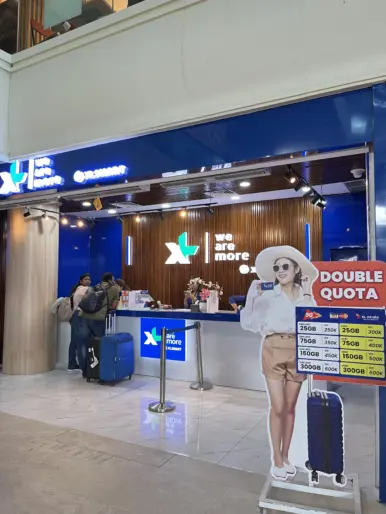
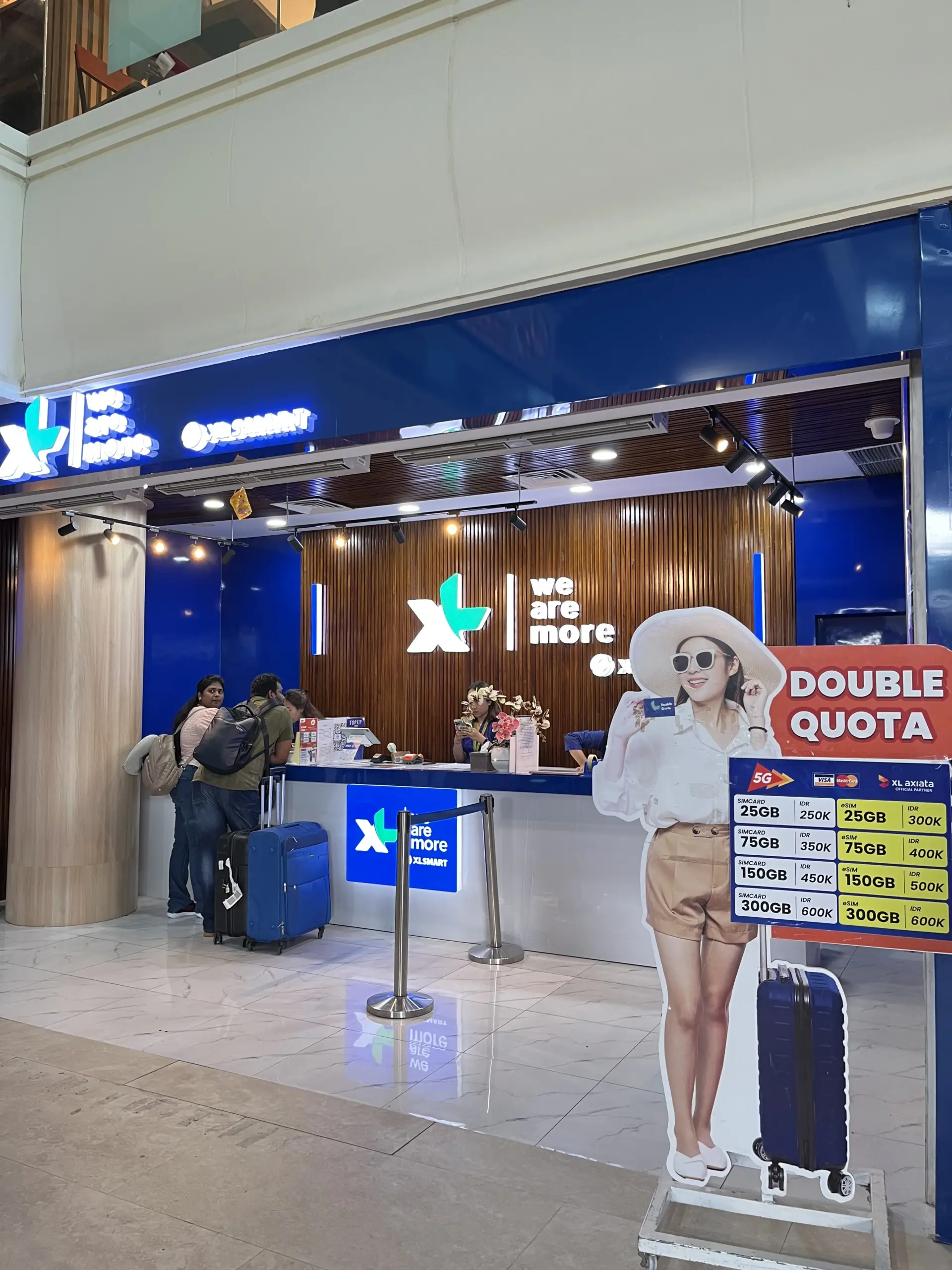
- Find the XL Axiata counter. The counter is immediately to the left after the international exit.
- Complete registration. Show your passport, an IMEI screenshot, and the required registration photo with your passport.
- Leave connected. Staff will help activate the line, test mobile data, and check the connection before you leave.
The counter is open from 4:00 AM until 2:00 AM the following morning. When the documents and device are ready, activation usually takes around five minutes, but registration or network checks can take longer. A delayed flight is not a problem as long as you arrive during opening hours.

Open the airport counter in Google Maps
Payment at the airport counter
You can pay in Indonesian rupiah, by a compatible QR payment method, or with Visa or Mastercard. Card acceptance remains subject to the card issuer and payment network. If your mobile wallet does not support Indonesian QR payments, use cash or a card.
What happens if activation fails?
Tell us within 24 hours and provide a screenshot of the error. Staff will first try to fix the connection or provide a replacement. If a return visit is required, the replacement is handled at the XL counter at Bali Airport.
A SIM or eSIM that cannot be activated is eligible for a refund under the current policy. Carrier-locked or incompatible devices are also eligible. Orders left uncollected for 30 days are not refundable. The same activation policy applies to physical SIM cards and issued eSIM QR codes.
Frequently asked questions
Is 10 GB enough for four or ten days in Bali?
For most travellers using maps, messaging, ride-hailing, social media, and hotel Wi-Fi, 10 GB is a reasonable starting point. Choose more data for regular streaming, work, large uploads, or hotspot use.
Does the 28-day validity mean I need to stay for 28 days?
No. It is the initial validity period of the package. You can use it for a four- or ten-day trip and leave the remaining allowance unused. Top-up options and any extended validity follow the selected operator’s current terms.
Can I keep my Malaysian, Singaporean, or Bruneian number active?
Yes, if your phone supports dual SIM or eSIM plus physical SIM. Set the Indonesian line as the mobile data line and keep your home line available for messages. Check your home operator’s roaming charges before receiving or making calls.
Can I activate the Bali eSIM before flying?
No. The eSIM is issued and activated at the Bali Airport counter under the Indonesian operator’s current registration process.
Can the package be used outside Bali?
Yes. The packages use Indonesian mobile networks and can be used in other covered parts of Indonesia. Signal quality and speed vary by operator, location, device, and network conditions.
Book the connection that fits your trip
Use roaming if your existing plan already covers your trip well. Choose a local Bali SIM or eSIM if you want a +62 number, a separate data allowance, or staff-assisted airport activation. For most four- to ten-day visits, start by comparing the 10 GB package with the roaming allowance already included in your plan.
Choose the 10 GB Bali SIM or eSIM
Sources and checking notes
Roaming plans and prices change. Check your own account before travel. Official references reviewed for this guide include Maxis roaming, CelcomDigi roaming passes, U Mobile roaming, Singtel roaming, and StarHub roaming destinations. M1, DST, and Progresif customers should confirm Indonesia coverage and current allowances in their operator account or official roaming page.


