Quick answer: Yes, you can use a cheap Bali SIM or eSIM for data and still receive bank codes on your home number. Put the Bali line in charge of mobile data, keep your home line switched on for calls and SMS, and turn data roaming off on the home line. WhatsApp keeps working on your home number, because it only needs an internet connection, not your SIM. An eSIM makes this easiest, because both lines stay in the phone at the same time.
Why keep your home number active?
- Bank and card security codes. Many banks send one-time passwords (OTPs) by SMS to your home number. If that line is off, you may not be able to approve a card payment or log in to your banking app.
- Two-factor logins. Email, airline and booking accounts may also text a code to your home number.
- Calls from home. Family, work or your travel insurer can still reach you in an emergency.
You only need the home line to receive these messages. All your browsing, maps, WhatsApp and video calls can run on the Bali line.
What you need
- A phone that can hold two lines. Most eSIM phones can run one physical SIM and one eSIM at the same time. Newer iPhones can also run two eSIMs. Dial *#06#: if you see an EID number, your phone supports eSIM. See does my phone support eSIM?
- An unlocked phone. A phone locked to your home carrier will reject a Bali SIM or eSIM.
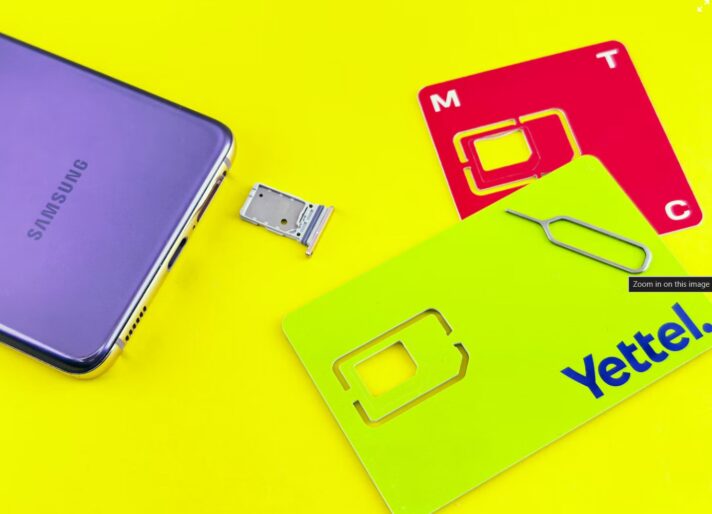
- A Bali eSIM or SIM. If your phone has one physical SIM slot and eSIM support, choose a Bali eSIM and leave your home SIM where it is. Our eSIMs cost the same as physical SIMs for 3GB and 10GB, and Rp25,000–Rp100,000 less from 13GB up. See current plans.
iPhone settings
Find these under Settings > Mobile (called Cellular in some regions).
- Label your lines. Rename them “Home” and “Bali” so you never toggle the wrong one.
- Mobile Data: choose Bali.
- Allow Mobile Data Switching: turn it off, so the phone never falls back to your home line’s data when the Bali signal is weak.
- Home line > Data Roaming: off. This stops your home carrier from charging for data.
- Default Voice Line: Home, so calls you make show your usual number. Use WhatsApp for calls in Bali to avoid roaming call charges.
- Messages: under Settings > Messages > Send & Receive, keep your home number selected so iMessage and SMS still arrive there.
Android settings
On Samsung, go to Settings > Connections > SIM manager. On Google Pixel, go to Settings > Network & internet > SIMs. Other brands have similar menus.
- Mobile data: set to the Bali SIM or eSIM.
- Auto data switching (if your phone has it): off.
- Home SIM > Roaming: off.
- Calls and SMS: set to the home SIM if you want bank texts and calls to arrive there.
- Rename both lines so they are easy to tell apart.
Some Android phones can only keep one eSIM and one physical SIM active at the same time. If yours can only run one line, you will need to switch between them manually.
WhatsApp: nothing changes
WhatsApp is linked to the phone number you registered it with, not to the SIM that provides your data. As long as you do not delete and reinstall the app, WhatsApp keeps working on your home number over Bali data. You do not need to change your WhatsApp number to the Bali one.
If you want a local number for drivers and villas as well, you can use WhatsApp Business or a second messaging app on the Bali number, or simply share your home WhatsApp number. Most people in Bali’s tourism industry are used to messaging foreign numbers.
Avoid roaming charges on your home line
Turning off data roaming on your home line stops data charges, but it does not stop every charge:
- Answering calls on your home number abroad can be charged by your home carrier.
- Receiving SMS is free with many carriers but not all.
- Some carriers need international roaming switched on before your number works abroad at all.
Check your home carrier’s roaming rules before you fly, and ask whether you can receive SMS for free while roaming. Roaming fees to keep a home line fully active can add up, so data on a local Bali line is usually far cheaper (Freaking Nomads).
If your phone has no eSIM
You have three options:
- Swap SIMs when needed. Use the Bali SIM day to day, and put your home SIM back in when you need a bank code. Keep the home SIM safe, for example taped inside your passport cover.
- Ask your bank for app-based approval. Many banks let you approve payments in their app instead of by SMS. Set this up before you leave home.
- Convert your home SIM to an eSIM. Some carriers can do this before you travel, which frees the physical slot for a Bali SIM. Do this at home, not abroad.
Set it up at airport pickup
When you collect a pre-ordered Bali eSIM or SIM at the international arrivals exit of Ngurah Rai Airport, staff can help you install it and set the Bali line for data. Ask them to leave your home SIM in place. Before you walk away, check two things: a web page loads with Wi-Fi off, and your home line still shows signal for calls and SMS. Read how to pre-order a Bali SIM card or eSIM.
FAQ
Can I receive bank OTP codes in Bali with a local SIM? Yes, if your home SIM stays active in the phone. Use a Bali eSIM for data and keep the home line on for SMS, with data roaming off.
Will my WhatsApp change to the Bali number? No. WhatsApp stays on the number you registered, and it works over any internet connection.
Do I pay roaming for receiving SMS? It depends on your home carrier. Many do not charge for incoming SMS, but check before you travel.
Can I use two SIMs at once with a physical Bali SIM? Only if your phone has two physical SIM slots, or one slot plus eSIM with your home number on the eSIM. Otherwise, choose a Bali eSIM.