
Last reviewed: 3 November 2026 | Written by Mukhlis Saputro, Sim Card Airport Bali
Travellers from the Netherlands can use KPN, Odido or Vodafone roaming in Bali, install a global travel eSIM, or collect a local Indonesian eSIM or physical SIM after landing. The sensible choice depends on your Dutch plan, how much data you need, whether your phone is unlocked, and whether an Indonesian +62 number would be useful.
Indonesia is outside the EU/EEA roaming area. Your Dutch allowance therefore does not automatically work there under Roam Like at Home. Check the current Indonesia terms in your carrier account before departure, even if roaming worked from your normal bundle on a previous European trip.
Quick answer for Dutch travellers
- Use Dutch roaming if your trip is short and your current plan includes an Indonesia pass with enough data at a price you accept.
- Choose a global travel eSIM if you need data across several countries and do not need an Indonesian phone number.
- Choose a local Bali eSIM if your unlocked phone supports eSIM and you want Indonesian data, calls, SMS and a +62 number.
- Choose a physical tourist SIM if your phone lacks eSIM support, you prefer a removable SIM, or staff confirm that the physical version is the better fit for your device.
- Keep your Dutch line active for DigiD or bank texts, but turn off data roaming on that line and assign mobile data to the Indonesian line.
If you are unsure about allowance, start with your actual phone use rather than the length of the flight. Our Bali data usage calculator estimates a suitable range based on maps, social media, video, hotspot use and trip length.
Why Dutch EU roaming rules do not cover Bali
The EU’s Roam Like at Home rules apply across the EU and EEA, with some later extensions and voluntary operator additions. Indonesia is not part of that mandatory area. A Netherlands subscription that works from the domestic bundle in Belgium, Germany or Spain may therefore use a paid outside-EU pass or separate roaming rates in Indonesia.
Do not assume that leaving data roaming on is harmless until you open an app. Email sync, weather widgets, cloud photo backup, app updates and messaging notifications can use data in the background. Calls, answered voicemail, outgoing SMS and Wi-Fi Calling can also follow different rules from mobile data.
KPN, Odido and Vodafone roaming in Indonesia
Dutch operators change passes, allowances and account eligibility. The comparison below describes how each operator currently directs customers to handle travel outside the EU; it is not a permanent price list.
| Dutch operator | What to check before flying | Practical risk |
|---|---|---|
| KPN | Check the available buitenlandbundel for Indonesia in MijnKPN, including data, calls, SMS, validity and whether activation is manual. | Usage outside an active or suitable bundle can be charged under the applicable outside-EU rate. |
| Odido | Check the Internet Op Reis options for Indonesia in the Odido app. Odido states that outside-EU use may be charged per MB unless an applicable pass is used. | Background data can consume a pass or create per-MB charges if the wrong option is active. |
| Vodafone Netherlands | Check the current Alles in 1 Wereld option and the terms for your exact subscription. Vodafone also publishes an overseas data limit, which can be changed in My Vodafone. | A daily bundle may be triggered by qualifying use; calls, SMS and data limits can differ. |
Open your operator app and look up Indonesië under your own subscription. Compare the total cost for the number of days you expect to use the phone, not only the displayed daily price. Also compare included data, calls, SMS, speed restrictions and what starts a chargeable period.
Which option fits a trip from the Netherlands?
| Option | Best fit | Limit to check |
|---|---|---|
| Dutch roaming | A short trip with a suitable pass already available on your account | Trigger, daily allowance, total days, calls, voicemail and SMS |
| Global travel eSIM | A multi-country trip where mobile data is the main requirement | Many products are data-only and do not provide a +62 number |
| Local Indonesian eSIM | An unlocked eSIM phone, local service and a +62 number | Registration and activation are completed at the Bali Airport counter |
| Local physical SIM | An unlocked phone with a nano-SIM tray or no suitable eSIM support | You may need to remove and safely store your Dutch SIM |
A local line is not automatically cheaper or better for every visitor. A Dutch roaming pass can be the simplest choice for a weekend with light use. A global eSIM can suit a stop in Singapore or Malaysia before Bali. A local Indonesian line becomes more useful when you want a +62 number, airport setup help, or a larger allowance for navigation, video, uploads or hotspot use.
Keep your Dutch number for DigiD and banking
DigiD supports login through its app and SMS control. If your account still relies on SMS, keep the Dutch line available to receive the code. The same precaution can help with banks and services that still send verification messages to your Netherlands number.
On a dual-SIM phone, label the lines Netherlands and Indonesia. Select the Indonesian line for mobile data, then disable data roaming and automatic mobile-data switching on the Dutch line. Receiving an SMS may be free under some plans, but incoming calls, voicemail, Wi-Fi Calling and outgoing messages can have different charges. Confirm those details with your Dutch operator.
WhatsApp normally remains tied to the number used for the account until you choose to change it. Adding an Indonesian SIM does not require you to replace the WhatsApp number. Do not re-register the app with the +62 number unless you intend to change the account.
Will an iPhone, Galaxy or Pixel bought in the Netherlands work?
Many recent iPhones, Samsung Galaxy phones and Google Pixel phones sold in the Netherlands support eSIM, but the model name alone is not enough. Compatibility can vary by exact model, regional version, software and carrier status.
- iPhone: Apple lists dual-SIM with eSIM from iPhone XS, XS Max and XR onward, subject to regional differences. Go to Settings > General > About. Under Carrier Lock, “No SIM restrictions” means the iPhone is unlocked.
- Samsung: Check Settings > Connections > SIM manager for “Add eSIM.” Samsung’s Dutch support page lists compatible Galaxy models and warns that support can vary by country of origin.
- Google Pixel: Pixel 4 and later generally support eSIM, but older models and some carrier variants have exceptions. Check the exact model and the “Add SIM” option in Network & internet settings.
An eSIM-capable phone can still be carrier-locked or restricted by an employer’s device policy. Check before ordering. If the model is uncertain, send the full model number and a screenshot of the SIM settings to support.
Across more than 3,500 classified connectivity units sold by Sim Card Airport Bali from April to September 2026, about 89% were eSIMs. This is the overall sales mix in our customer dataset, not a measurement of Dutch travellers, device compatibility or data consumption. Read the full research report and methodology.
How much Bali data should a Dutch traveller plan?
| Use pattern | Typical activities | Planning range |
|---|---|---|
| Light | WhatsApp, email, ride-hailing, occasional maps and regular hotel Wi-Fi | 3–10GB |
| Moderate | Daily navigation, browsing, social media, photo uploads and some video | 13–26GB |
| Heavy | Streaming, high-resolution uploads, hotspot use or remote work | 34–68GB or more |
These are planning ranges, not usage guarantees. Automatic photo backup and laptop hotspot use can consume more data than maps or messaging. Compare your estimate with the current Bali SIM and eSIM plans; the product page is the source for the current allowance, operator, validity and price.
Order in the Netherlands, activate after landing
You can order a local Bali eSIM online from the Netherlands, but this product is not installed remotely before departure. The Indonesian operator’s tourist-registration and activation process is completed at the airport counter. A global travel eSIM follows a different fulfilment model and may allow installation at home, but it may not include calls, SMS or an Indonesian number.
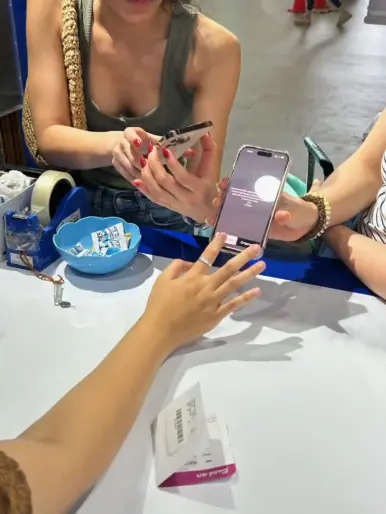
Bring your passport, the requested device information and the phone that will use the SIM. Staff can check the model and lock status, complete the operator registration, install the eSIM or physical SIM, adjust mobile-data settings and test the connection.
From the international-arrivals exit to the airport counter
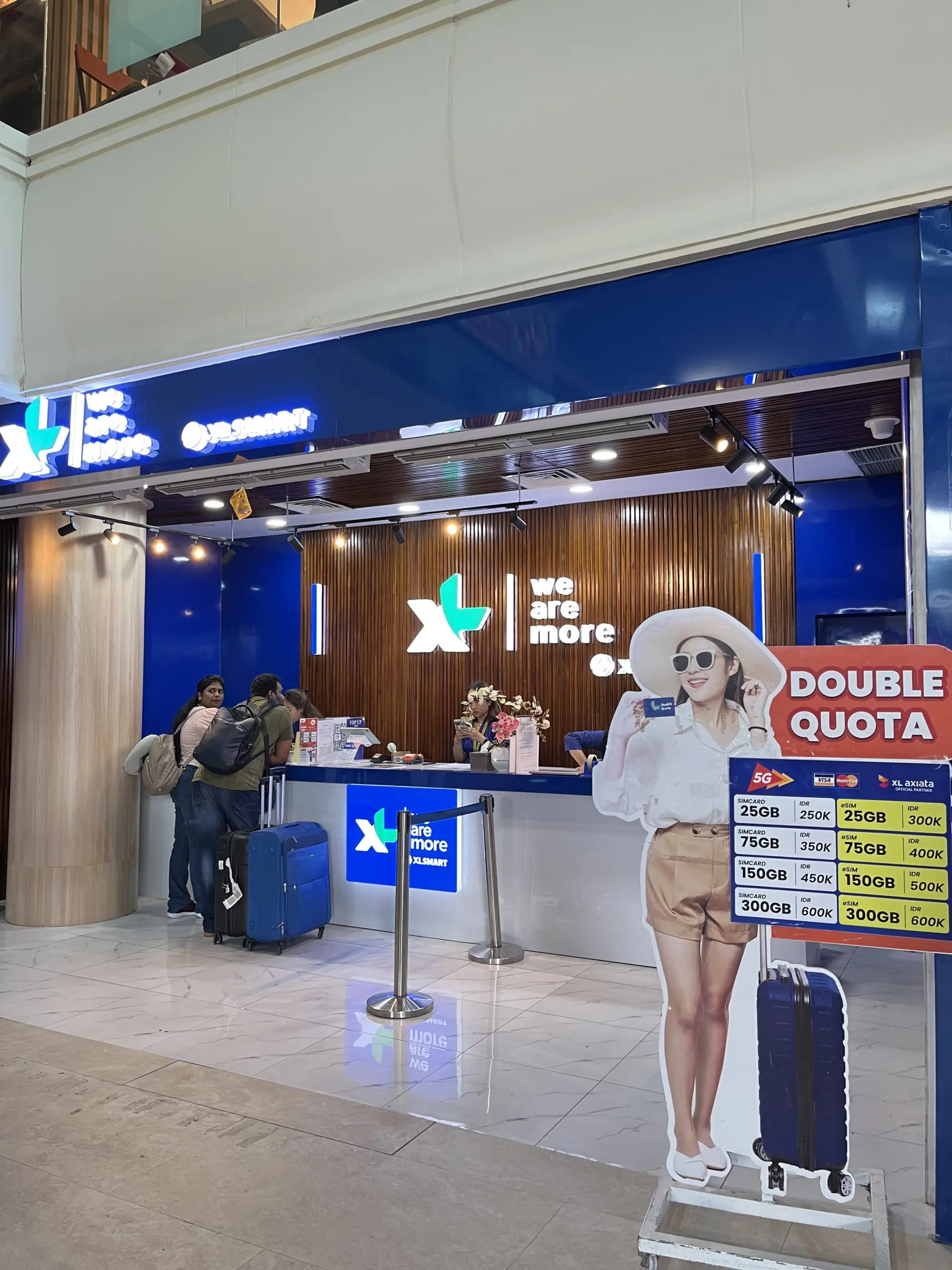
After Immigration, baggage collection and Customs at I Gusti Ngurah Rai International Airport, continue along the international-arrivals exit route. The XLSMART counter is immediately to the left of the exit. The published opening hours are daily from 4:00 AM until 2:00 AM the following day.
If your flight is delayed, collect the order during the published opening hours. If your scheduled arrival falls between 2:00 AM and 4:00 AM, expect to wait until the counter opens. Read the airport pickup process for the route and collection steps.

SIM registration is not permanent Customs IMEI registration
The operator registers a tourist SIM using the required visitor and device information. That process is different from permanently registering an imported phone with Indonesian Customs. Visitors staying longer or importing a device permanently may face different rules. Read our SIM registration and IMEI guide and check the current official requirements when your stay is not a normal short visit.
Dutch departure checklist
- Open the KPN, Odido or Vodafone app and check the current Indonesia roaming terms for your exact plan.
- Confirm that the phone supports eSIM or has an available nano-SIM tray.
- Check carrier-lock status and any employer restrictions.
- Update and test the DigiD app, and confirm how your bank sends verification codes.
- Download offline maps and pause automatic cloud backups or app updates on mobile data.
- Save your order confirmation and the airport-counter route before the flight.
If the Indonesian line fails after activation
Staff test the connection before you leave the counter. If a problem appears later, contact support promptly with the order details, phone model and screenshots of the error and mobile-network settings. The team will check the device, registration and connection, and explain any available replacement or refund route under the current Refund Policy.
Do not assume that weak coverage or slow speed proves the SIM is defective. Performance can vary with operator, location, congestion, device bands, building construction and the selected package.
Frequently asked questions
Can I use my Netherlands mobile subscription in Bali?
Yes, if your operator supports roaming in Indonesia and the service is enabled. Indonesia is outside the mandatory EU/EEA roaming area, so check the applicable pass, rates and triggers before departure.
Can I keep my Dutch number for DigiD and bank SMS?
Yes, on a compatible dual-SIM phone. Keep the Dutch line enabled for calls or SMS, assign mobile data to the Indonesian line, and turn off data roaming and automatic data switching on the Dutch line. Charges for calls, voicemail and SMS depend on your operator.
Can I install the local Bali eSIM in the Netherlands?
You can order it before departure, but the local product is registered, issued and activated at the airport counter in Bali. It is not a remotely installed global travel eSIM.
Do I need an Indonesian +62 number?
Not every traveller needs one. It can help with local calls, accommodation, drivers and services that accept Indonesian numbers. Global data-only eSIMs and Dutch roaming may be enough if all communication stays inside WhatsApp or other internet apps.
Is eSIM faster than a physical SIM?
No. The SIM format does not determine network speed. Operator coverage, congestion, location, device bands and package conditions matter.
Which Bali network is best?
There is no single best operator for every itinerary. XL/XLSMART, Tri and IM3 availability depends on the current product. Choose according to the places you plan to visit, the package terms and the phone’s supported bands.
Choose the option that fits your trip
Check your Dutch roaming plan first. If it already covers the trip at an acceptable cost, keeping it may be the easiest choice. If you need more data, a +62 number or help with setup, compare the current local eSIM and physical SIM options and collect the selected line after Customs at Bali Airport.
Compare current Bali SIM and eSIM plans
Sources and review notes
- European Commission: Roaming questions and answers
- KPN: Outside-EU roaming bundles
- Odido: Calling and internet abroad
- Vodafone Netherlands: Using your subscription abroad
- Apple Netherlands: Dual SIM with eSIM
- Samsung Netherlands: Galaxy eSIM compatibility
- Google Pixel Help: SIM and eSIM support
- DigiD: SMS verification
Roaming passes, device support, local packages, validity and airport-counter details can change. Dutch operator and device information was reviewed on 3 November 2026. Business details were checked against the live Sim Card Airport Bali website on the same date.


