
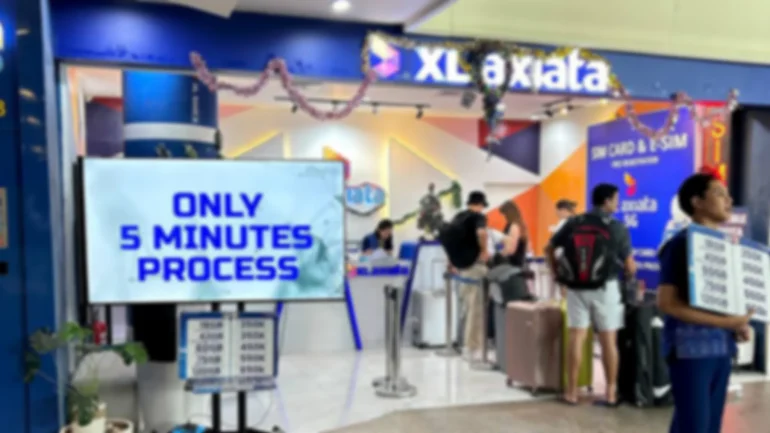
Quick answer: Preorder your Bali SIM card or eSIM when you want to compare current plans before flying and collect the order at the airport after arrival. Preordering reserves the selected product; registration, device checks and activation still take place under the operator’s requirements.
Page purpose: This guide covers booking before departure. For the collection process after landing, use the Bali Airport pickup guide.
When should you preorder a Bali SIM?
Preordering works well when you need mobile data before leaving the airport, want time to check device compatibility, or are arriving with other travelers who need separate connections. Buying after landing remains a valid option, and a city outlet may suit travelers who can use hotel or airport Wi-Fi first.
A preorder does not guarantee identical signal or speed everywhere in Bali. Coverage depends on the operator, location, network load, phone and building conditions.
What to check before booking
- Carrier lock: The phone must accept an Indonesian SIM or eSIM.
- eSIM support: Check the exact device model and regional variant, not only the phone family name.
- Data allowance and validity: Match the plan to your trip length and expected use.
- Local number: Confirm whether the product includes an Indonesian +62 number or provides data only.
- Pickup details: Check the current counter location and opening hours before flying.
- Registration details: Enter the passport and arrival information requested for the selected product accurately.
Use the current product catalog rather than prices or quotas copied from an older article.
How to book before arrival
- Choose a current plan. Select the data allowance, physical SIM or eSIM format, and any available operator option.
- Enter the traveler details. Use the information belonging to the person who will use the connection.
- Add arrival information. Accurate flight and arrival details help the team prepare for pickup.
- Keep the confirmation. Save the order number or confirmation message where you can reach it without mobile data.
- Check the pickup point. Review the Find Us page shortly before departure.
- Bring the phone and passport. Staff need the device that will use the SIM or eSIM.
What happens after you land?
Complete immigration, baggage claim and Customs, then follow the current pickup directions to the airport service point. Show the order confirmation and passport. Staff can assist with eligible operator registration, SIM insertion or eSIM installation, mobile-data settings and a connection test.
Turn off Wi-Fi and confirm that mobile data works before leaving. Activation time can vary when customer information needs correction, the phone is locked, the model does not support the selected eSIM, or an operator system is delayed.
Preorder or buy after arrival?
| Choice | Useful when | Trade-off |
|---|---|---|
| Preorder | You want to compare before flying and have an order prepared | You still need to complete pickup, registration and device checks |
| Buy at the airport | You prefer to decide after speaking with staff | Choice and queue length depend on conditions when you arrive |
| Buy in town | You can remain on Wi-Fi until later | You will not have local data for the first airport-to-hotel journey |
Booking for couples, families and groups
Do not assume one registration covers every traveler. Confirm how many connections you need, which phones are unlocked, and whether each person needs a local number. Keep each order and activation detail matched to the correct user and device.
SIM registration and IMEI
Mobile-operator SIM registration and permanent Customs IMEI registration are separate processes. Indonesian Customs states that eligible foreign visitors may use an operator’s temporary IMEI service for up to 90 days. Travelers staying longer or importing a device permanently may face different requirements. Read the registration and IMEI guide and check current official rules when they apply to your trip.
Frequently asked questions
Does preordering mean the SIM is active before I arrive?
Not necessarily. Preparation, registration and activation timing depend on the selected operator, product and the accuracy of the supplied details.
Can I change the plan at pickup?
Availability and change conditions depend on the order and current stock. Contact support before arrival if your requirements change.
What if my flight is delayed?
Check the current operating hours and contact the team using the details on the Find Us page. Do not rely on an old article for counter hours.
Where should I compare plans?
Use the live shop. Product quotas, validity and availability can change.
Next step: Choose a current plan, save the confirmation offline, and read the pickup steps before your flight.


